SpoolEase Custom Bambu Studio
SpoolEase provides a custom Bambu Studio fork with direct SpoolEase integration. It is meant for users who already use Bambu Studio and want to enjoy new features in Bambu Studio utilizing SpoolEase information.
It is available to download from the releases page.
The SpoolEase custom Bambu Studio adds:
- Compare required print filament with available spool filament. Warn if there may not be enough.
- Show SpoolEase spool ID and remaining weight where relevant inside Bambu Studio.
- Use the full SpoolEase web application from inside Bambu Studio.
- Automatically back up the full SpoolEase store.
- Automatically sync Bambu Studio custom filaments to SpoolEase.
Print Filament Check
When sending a print, the custom Studio can compare the filament required by the print with the filament available on the selected SpoolEase spool.
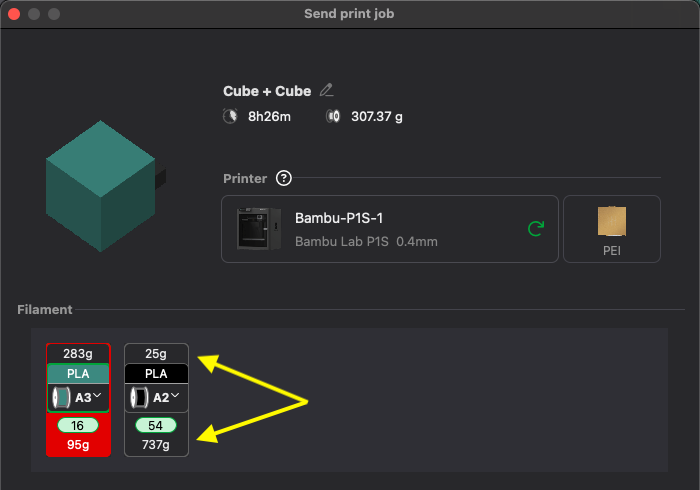
If there may not be enough filament, Studio shows a warning before the print is sent. This check depends on the selected printer slot, the spool loaded in that slot, and the remaining weight known to SpoolEase.
Spool Information in Studio
Where Bambu Studio shows printer, AMS, or slot information, the SpoolEase custom Bambu Studio can also show SpoolEase spool information when it can match the slot to a SpoolEase inventory record.
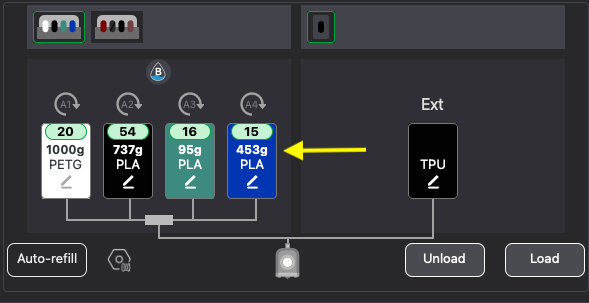
This can include:
- Spool ID
- Remaining weight
If no ID is selected for the spool in SpoolEase, the stndard Bambu Studio information is still shown.
SpoolEase Web Application
The SpoolEase custom Bambu Studio includes access to the SpoolEase web application from inside Bambu Studio. This lets you use SpoolEase without switching to a separate browser window.
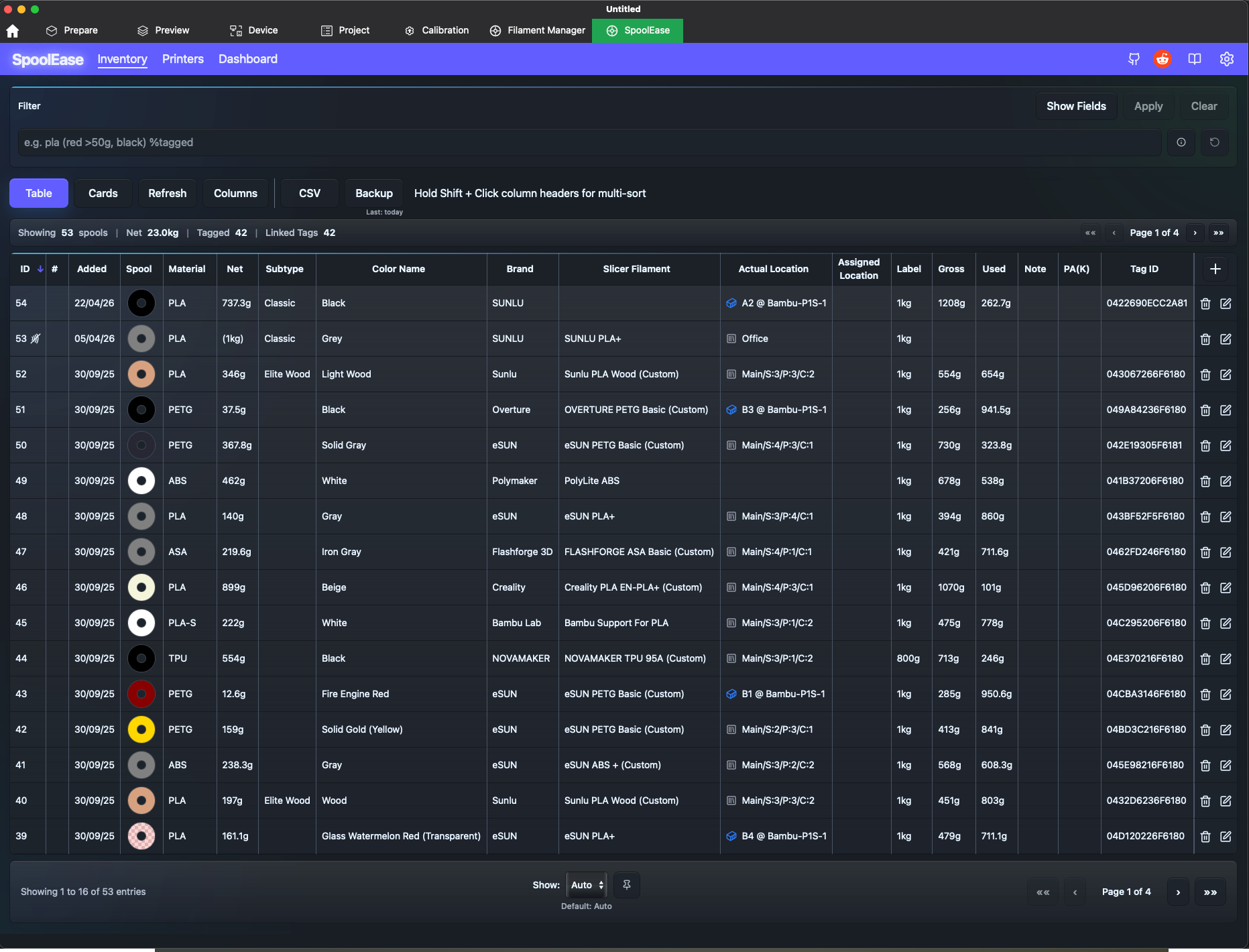
Use this when you want to open the inventory, review spool details, update records, or use other SpoolEase web features while working in Studio. Some operations, those that normally open a new browser tab will not function correctly from SpoolEase inside Bambu Studio.
Backups - Manual and Automatic
The SpoolEase custom Bambu Studio can back up the full SpoolEase store to a local folder.
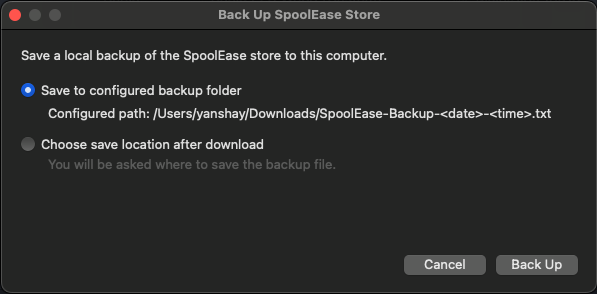
There are two backup modes:
- Manual backup from the SpoolEase menu.
- Automatic daily backup when enabled.
Automatic backups require a configured backup folder. Studio waits briefly after startup before checking whether today already has an automatic backup. If not, it creates one. Failed backups and empty backup files do not count.
Automatic backup retention keeps only the configured number of automatic backup files. Manual backups are not counted and are not deleted by automatic retention.
Custom Filament Sync - Manual and Automatic
The SpoolEase custom Bambu Studio can sync Bambu Studio custom filament definitions to SpoolEase.
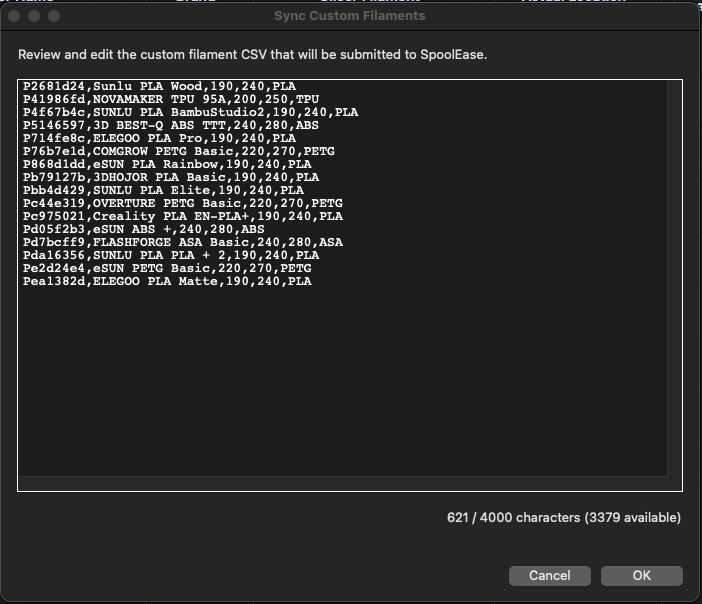
This is useful when you create or edit custom filaments in Bambu Studio and want SpoolEase to know about them without entering the same information again.
Sync can be run manually from the SpoolEase menu. It can also be enabled as an automatic sync.
Configuration
Open SpoolEase > Settings in Bambu Studio to configure the integration.
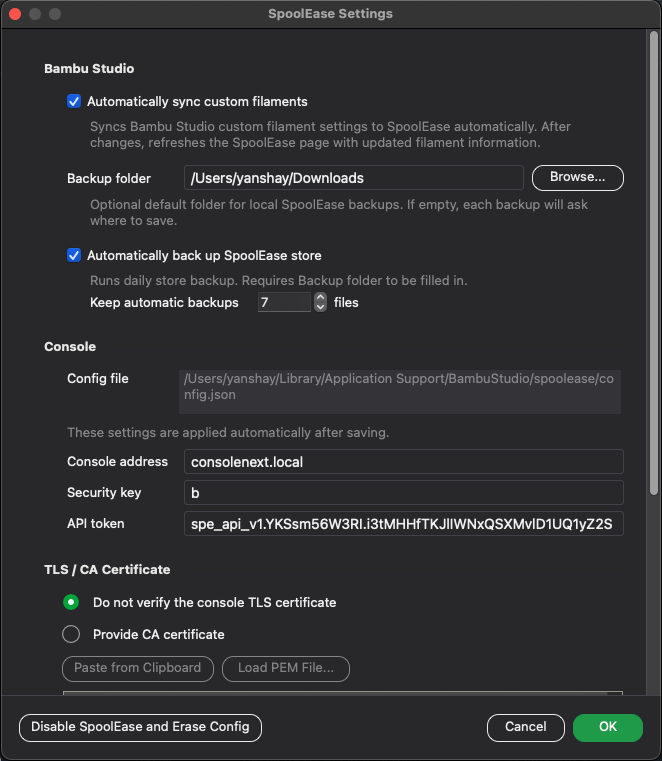
The required connection fields are:
- Console address - SpoolEase console IP or xxx.local address. Use IP if your SpoolEase use static IP configured in your router
- Security key - this is the key you use to login to SpoolEase web application
- API token - get from the SpoolEase web application settings (gear icon) under API tab
Optional fields include:
- CA certificate for TLS verification - get from the SpoolEase web application settings (gear icon) under API tab
- Backup folder
- Automatic backup setting and retention count
- Automatic custom filament sync setting
The API token and CA certificate are available in the SpoolEase web application under Settings > API.
Things to Keep in Mind
- This is a custom Bambu Studio build, not the standard Bambu Studio release, forked from original Bambu Lab Bambu Studio.
- SpoolEase Console must be running and reachable from the computer running Studio.
- Automatic backups run only while Bambu Studio is open.